eobdtool

eobdtool
HOT
显示标签为“Fgtech Galletto 4 V54”的博文。显示所有博文

2018年2月6日星期二

Fix Fgtech V54 0386 AES Software for Win7-64bit

Post software fix of Fgtech V54 0386 AES for Win7-64bit

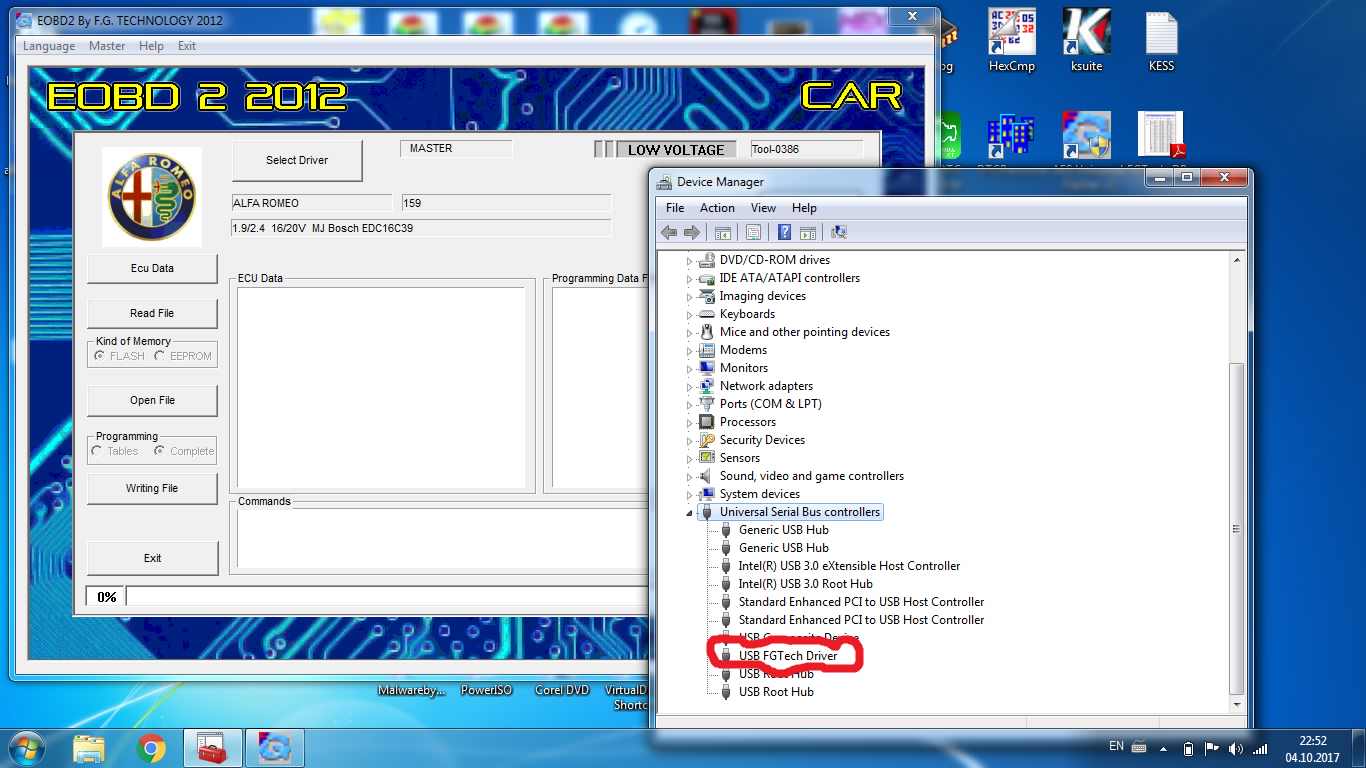
1. Fix driver for win7-64bit .. DRIVER CANNOT START CODE 10...AND FUNCTIONING TOGETHER BDM100 SOFTWARE AND DRIVER
ON THE SAME PC WINDOWS 7-64Bbit
2. AES Software
3. Fix read 5% error

pass=ionuty


Thanks to @ ionuty from DK forum.

If you need Fgtech V54 0386, the one below is best:


2017年10月26日星期四

Galletto 4 v54 won’t start after installation on Windows XP(Solved)

Something you need to pay attention to if you fail to run Fgtech Galletto 4 v54 for use after installation.
First,
do a fresh install of windows XP

Second,
remove the old fgtech from system totally
That is, you need to remove all previous installs system files of fg

Third,
check your fgtech drive, check if all is well, there's driver for 32bit and 64bit. (if you uninstall all previous versions). Use the USB fix that comes on the cd. 
If Fgtech v54 not open in OBD2, re
-install again without deinstalar the v54. and try to open the Obd2 again. 

Fourth,
check ftd2xx.dll file. If this file was read only and you have to change this unmarking read only in location - widows/system32/ftd2xx.dll.

Now is working !!!!!!!!

Galletto v54 in xp....run install, plug in usb........point device driver to 'new driver' that you just installed in FG folder. re run install. Should work.
Description not 100% precise....but it Worked for me.

I installed this program on three different computers with xp sp3 and one all goes well, the other needs to be reinstalled every time you want other functions and unresponsive executable not understand these discrepancies.

The final tip: Video: How to install Fgtech Galletto 4 v54 Windows XP

2016年12月14日星期三

How Fgtech Galletto 4 V54 read write flash ECU EDC16c34 via OBD?

This blog will offer you a guide for how use Fgtech Galletto 4 V54 to read and write ECU EDC16c34 via OBD. (Not on bench) Check below steps!

Engine: 1.6 HDi Berlingo
ECU Type: EDC16C43
ECU BOSCH number: 0281012619, year 07-12-05, 9663943980
Action: Fgtech read write EDC16C43 via OBD
How Fgtech Galletto 4 read EDC16c34 via OBD?
Step1. Connect Fgtech Galletto 4 V54 Master directly to car OBD port then connect it to laptop via USB cable. (When read ECU you don't need 12v external power supply)
Turn on the key to position 1 but don't start engine.
Step2. Open Fgtech V54 software, first click “Select Driver” to choose correct driver for your car / ECU.
Next check “ECU Data” to see if connection is OK.
Step3. Click “Read file”, enter name of the file, and reading start.

Wait until reading is 100% complete. Turn the dashboard off.
How FgtechGalletto 4 write EDC16c34 via OBD?
NOTE:
1.     Make sure your car battery is ok. You must have over 12v steady volts to write. You can connect your car battery to external 12v charger.
2.     You can damage your ECU if voltage drops under 12v. If writing process is disrupted you can recover your ECU only by BDM restore.
Click “Write file” to start ECU writing.
When the writing complete, turn off the dashboard and wait 3 minutes.
Then turn on dashboard and wait 3 minutes. After that you can turn on the engine.